
Free instant access to BIOS tips!
Fill in your name and email and receive our ebook 'How to update your PC BIOS in 3 easy steps' (15$ value), free BIOS tips and updates about Wim's BIOS!
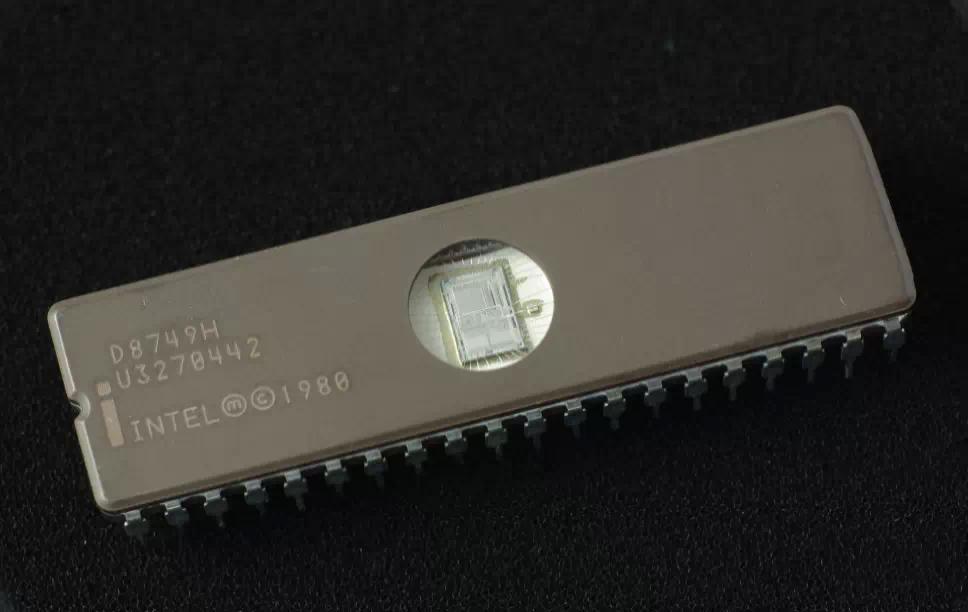
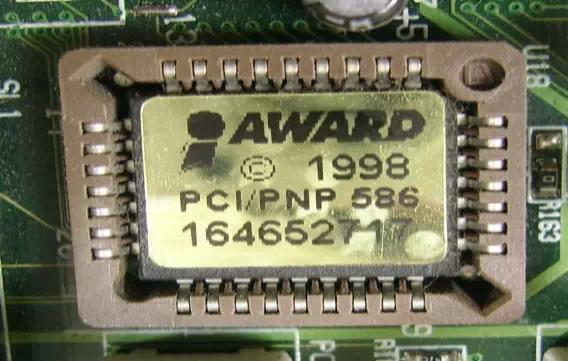
- You can identify your WinTechnologies (Edom) motherboard using the BIOS ID which is displayed on most computers at bootup. Per BIOS vendor (AMI, Award, Phoenix, ...) we have a seperate tab of motherboard BIOS Identifications.
- In the Website Links section we provide official and unofficial links to find free WinTechnologies (Edom) BIOS upgrades
Click on the  for more info about the WinTechnologies (Edom) bios update.
WinTechnologies (Edom) BIOS Updates
| Manufacturer - Model | Chipset | BIOS ID | Full BIOS ID | More info |
|---|---|---|---|---|
| WinTechnologies (Edom) | VIA Apollo Pro Plus (692/ | 2A6LGW0A |
|
|
| WinTechnologies (Edom) | Intel 440LX/EX | 2A69JW0A |
|
|
| WinTechnologies (Edom) | Intel 430FX | 2A59CW0H |
|
|
| WinTechnologies (Edom) | Intel 815 Solano | 6A69RW09 | 6A69RW09C-00 |
|
| WinTechnologies (Edom) | Intel 430FX | 2A59CW0Y |
|
|
| WinTechnologies (Edom) | SiS 5600 | 2A6ILW09 |
|
|
| WinTechnologies (Edom) | Intel 430VX | 2A59GW0C |
|
|
| WinTechnologies (Edom) | VIA Apollo (M)VP3 | 2A5LEW0F |
|
|
| WinTechnologies (Edom) | Intel 440BX/GX/ZX | 2A69KW0J |
|
|
| WinTechnologies (Edom) | VIA Apollo (M)VP3 | 2A5LEW0I |
|
|
| WinTechnologies (Edom) | Intel 440BX/GX/ZX | 2A69KW0M |
|
|
| WinTechnologies (Edom) | VIA Apollo Pro Plus (692/ | 2A6LGW0C |
|
|
| WinTechnologies (Edom) | Intel 440LX/EX | 2A69JW0D |
|
|
| WinTechnologies (Edom) | Intel 430FX | 2A59CW0L |
|
|
| WinTechnologies (Edom) | Intel Camino 820 | 6A69LW09 |
|
|
| WinTechnologies (Edom) | Intel 430HX | 2A59FW0A |
|
|
| WinTechnologies (Edom) | SiS 5600 | 2A6ILW0C |
|
|
| WinTechnologies (Edom) | Intel 430VX | 2A59GW0F | 2A59GW0FC-00 |
|
| WinTechnologies (Edom) | UMC 8881E/8886B | 2A4X5W0A |
|
|
| WinTechnologies (Edom) | VIA Apollo Pro (691/596) | 2A6LFW09 |
|
|
| WinTechnologies (Edom) | Intel 440BX/GX/ZX | 2A69KW0P |
|
|
| WinTechnologies (Edom) | ALi 1487/1489 | 2A4KDW0B |
|
|
| WinTechnologies (Edom) | VIA Apollo Pro Plus (692/ | 2A6LGW0F |
|
|
| WinTechnologies (Edom) | Intel 440LX/EX | 2A69JW0G |
|
|
| WinTechnologies (Edom) | Intel 430FX | 2A59CW0O |
|
|
| WinTechnologies (Edom) | Intel Whitney 810 | 6A69MW09 |
|
|
| WinTechnologies (Edom) | Intel 430HX | 2A59FW0D |
|
|
| WinTechnologies (Edom) | OPTi 82C822/546/547 | 2A5UMW01 |
|
|
| WinTechnologies (Edom) | Intel 430TX | 2A59IW0B | 2A59IW0BC-00 |
|
| WinTechnologies (Edom) | VIA 694X/686A | 6A6LJW0B |
|
|
| WinTechnologies (Edom) | Intel 440BX/GX/ZX | 2A69KW0C |
|
|
| WinTechnologies (Edom) | VIA Apollo Pro (691/596) | 2A6LFW0C |
|
|
| WinTechnologies (Edom) | Intel 440FX | 2A69HW09 |
|
|
| WinTechnologies (Edom) | ALi 1487/1489 | 2A4KDW0E |
|
|
| WinTechnologies (Edom) | VIA Apollo Pro Plus (692/ | 2A6LGW0I |
|
|
| WinTechnologies (Edom) | Intel 440LX/EX | 2A69JW0J |
|
|
| WinTechnologies (Edom) | Intel 430FX | 2A59CW0R |
|
|
| WinTechnologies (Edom) | Intel 440LX/EX | 2A69JW0M |
|
|
| WinTechnologies (Edom) | Intel 430FX | 2A59CW0U |
|
|
| WinTechnologies (Edom) | OPTi Viper(-M) 82C556/557 | 2A5UNW0I |
|
|
| WinTechnologies (Edom) | VIA Apollo (M)VP3 | 2A5LEW0B |
|
|
| WinTechnologies (Edom) | Intel 440BX/GX/ZX | 2A69KW0F |
|
|
| WinTechnologies (Edom) | VIA Apollo Pro (691/596) | 2A6LFW0G |
|
|
| WinTechnologies (Edom) | Intel 440FX | 2A69HW0C |
|
|
| WinTechnologies (Edom) | ALi IV+ M1531/M1543 (aka | 2A5KIW09 |
|
|
| WinTechnologies (Edom) | VIA Apollo Pro Plus (692/ | 2A6LGW0L |
|
|
| WinTechnologies (Edom) | Intel 440LX/EX | 2A69JW09 |
|
|
| WinTechnologies (Edom) | Intel 810 Whitney | 6A69MW0E | 6A69MW0EC-00 |
|
| WinTechnologies (Edom) | Intel 430FX | 2A59CW0X |
|
|
| WinTechnologies (Edom) | SiS 5511/12/13 | 2A5IDW09 |
|
|
| WinTechnologies (Edom) | Intel 430VX | 2A59GW0B |
|
|
| WinTechnologies (Edom) | VIA Apollo (M)VP3 | 2A5LEW0E |
|
|
| WinTechnologies (Edom) | Intel 440BX/GX/ZX | 2A69KW0I |
|
|
| WinTechnologies (Edom) | VIA Apollo Pro Plus (692/ | 2A6LGW09 |
|
|
| WinTechnologies (Edom) | Intel 440BX/GX/ZX | 2A69KW0L |
|
|
| WinTechnologies (Edom) | Intel 440LX/EX | 2A69JW0C |
|
|
| WinTechnologies (Edom) | Intel 430FX | 2A59CW0K |
|
|
| WinTechnologies (Edom) | Intel 840 | 6A69PW0B | 6A69PW0BC-00 |
|
| WinTechnologies (Edom) | Intel 430HX | 2A59FW09 |
|
|
| WinTechnologies (Edom) | SiS 5600 | 2A6ILW0B |
|
|
| WinTechnologies (Edom) | Intel 430VX | 2A59GW0E |
|
|
| WinTechnologies (Edom) | VIA Apollo (M)VP3 | 2A5LEW0H |
|
|
| WinTechnologies (Edom) | Intel 440BX/GX/ZX | 2A69KW00 |
|
|
| WinTechnologies (Edom) | VIA Apollo (M)VP3 | 2A5LEW0K |
|
|
| WinTechnologies (Edom) | Intel 440BX/GX/ZX | 2A69KW0O |
|
|
| WinTechnologies (Edom) | ALi 1487/1489 | 2A4KDW0A |
|
|
| WinTechnologies (Edom) | VIA Apollo Pro Plus (692/ | 2A6LGW0E |
|
|
| WinTechnologies (Edom) | Intel 440LX/EX | 2A69JW0F |
|
|
| WinTechnologies (Edom) | Intel 430FX | 2A59CW0N | 2A59CWONC-00 |
|
| WinTechnologies (Edom) | Intel Carmel 840 | 6A69PW09 |
|
|
| WinTechnologies (Edom) | Intel 430HX | 2A59FW0C |
|
|
| WinTechnologies (Edom) | UMC 8881E/8886B | 2A4X5W01 |
|
|
| WinTechnologies (Edom) | Intel 430TX | 2A59IW0A |
|
|
| WinTechnologies (Edom) | VIA 694X/686A | 6A6LJW0A |
|
|
| WinTechnologies (Edom) | Intel 440BX/GX/ZX | 2A69KW0B | 2A69KW0BC-00 |
|
| WinTechnologies (Edom) | VIA Apollo Pro (691/596) | 2A6LFW0B |
|
|
| WinTechnologies (Edom) | ALi 1487/1489 | 2A4KDW0D |
|
|
| WinTechnologies (Edom) | VIA Apollo Pro Plus (692/ | 2A6LGW0H |
|
|
| WinTechnologies (Edom) | Intel 440LX/EX | 2A69JW0I |
|
|
| WinTechnologies (Edom) | Intel 430FX | 2A59CW0Q | 2A59CW0QC-00 |
|
| WinTechnologies (Edom) | Intel Whitney 810 | 6A69MW0B |
|
|
| WinTechnologies (Edom) | OPTi Viper(-M) 82C556/557 | 2A5UNW0A |
|
|
| WinTechnologies (Edom) | Intel 430TX | 2A59IW0D |
|
|
| WinTechnologies (Edom) | VIA Apollo (M)VP3 | 2A5LEW0A |
|
|
| WinTechnologies (Edom) | Intel 440BX/GX/ZX | 2A69KW0E |
|
|
| WinTechnologies (Edom) | VIA Apollo Pro (691/596) | 2A6LFW0F |
|
|
| WinTechnologies (Edom) | Intel 440FX | 2A69HW0B |
|
|
| WinTechnologies (Edom) | ALi 1487/1489 | 2A4KDW0G |
|
|
| WinTechnologies (Edom) | VIA Apollo Pro Plus (692/ | 2A6LGW0K |
|
|
| WinTechnologies (Edom) | Intel 440LX/EX | 2A69JW0L |
|
|
| WinTechnologies (Edom) | Intel 430FX | 2A59CW01 |
|
|
| WinTechnologies (Edom) | VIA Apollo VP4 | 2A5LHW0A |
|
|
| WinTechnologies (Edom) | Intel 810 Whitney | 6A69MW0D | 6A69MW0DC-00 |
|
| WinTechnologies (Edom) | Intel 430FX | 2A59CW0W |
|
|
| WinTechnologies (Edom) | SiS 496/497 | 2A4IBW09 |
|
|
| WinTechnologies (Edom) | Intel 430VX | 2A59GW0A | I430VX-2A59GW0AC-00 |
|
| WinTechnologies (Edom) | VIA Apollo (M)VP3 | 2A5LEW0D |
|
|
| WinTechnologies (Edom) | Intel 440BX/GX/ZX | 2A69KW0H |
|
|
| WinTechnologies (Edom) | Intel 440FX | 2A69HW0E |
|
|
| WinTechnologies (Edom) | Intel 430FX | 2A59CW0I |
|
|
| WinTechnologies (Edom) | Intel 840 | 6A69PW0A | 6A69PW0AC-00 |
|
| WinTechnologies (Edom) | Intel 430FX | 2A59CW0Z |
|
|
| WinTechnologies (Edom) | SiS 5600 | 2A6ILW0A |
|
|
| WinTechnologies (Edom) | Intel 430VX | 2A59GW0D |
|
|
| WinTechnologies (Edom) | VIA Apollo (M)VP3 | 2A5LEW0G |
|
|
| WinTechnologies (Edom) | Intel 440BX/GX/ZX | 2A69KW0K |
|
|
| WinTechnologies (Edom) | VIA Apollo (M)VP3 | 2A5LEW0J |
|
|
| WinTechnologies (Edom) | Intel 440BX/GX/ZX | 2A69KW0N |
|
|
| WinTechnologies (Edom) | ALi 1487/1489 | 2A4KDW09 |
|
|
| WinTechnologies (Edom) | VIA Apollo Pro Plus (692/ | 2A6LGW0D |
|
|
| WinTechnologies (Edom) | Intel 430FX | 2A59CW0M |
|
|
| WinTechnologies (Edom) | Intel Camino 820 | 6A69LW0A |
|
|
| WinTechnologies (Edom) | Intel 430HX | 2A59FW0B |
|
|
| WinTechnologies (Edom) | SiS 620 | 2A6INW09 |
|
|
| WinTechnologies (Edom) | Intel 430VX | 2A59GW0G |
|
|
| WinTechnologies (Edom) | VIA 694X/686A | 6A6LJW09 |
|
|
| WinTechnologies (Edom) | Intel 440BX/GX/ZX | 2A69KW0A |
|
|
| WinTechnologies (Edom) | VIA Apollo Pro (691/596) | 2A6LFW0A |
|
|
| WinTechnologies (Edom) | Intel 440BX/GX/ZX | 6A69KW0M |
|
|
| WinTechnologies (Edom) | ALi 1487/1489 | 2A4KDW0C |
|
|
| WinTechnologies (Edom) | VIA Apollo Pro Plus (692/ | 2A6LGW0G |
|
|
| WinTechnologies (Edom) | Intel 440LX/EX | 2A69JW0H |
|
|
| WinTechnologies (Edom) | Intel 430FX | 2A59CW0P |
|
|
| WinTechnologies (Edom) | Intel Whitney 810 | 6A69MW0A |
|
|
| WinTechnologies (Edom) | Intel 430TX | 2A59IW09 |
|
|
| WinTechnologies (Edom) | OPTi Viper(-M) 82C556/557 | 2A5UNW09 |
|
|
| WinTechnologies (Edom) | Intel 430TX | 2A59IW0C |
|
|
| WinTechnologies (Edom) | VIA Apollo (M)VP3 | 2A5LEW09 |
|
|
| WinTechnologies (Edom) | VIA Apollo Pro (691/596) | 2A6LFW0D |
|
|
| WinTechnologies (Edom) | Intel 440FX | 2A69HW0A |
|
|
| WinTechnologies (Edom) | ALi 1487/1489 | 2A4KDW0F |
|
|
| WinTechnologies (Edom) | VIA Apollo Pro Plus (692/ | 2A6LGW0J |
|
|
| WinTechnologies (Edom) | Intel 440LX/EX | 2A69JW0K |
|
|
| WinTechnologies (Edom) | Intel 430FX | 2A59CW0S |
|
|
| WinTechnologies (Edom) | VIA Apollo VP4 | 2A5LHW09 |
|
|
| WinTechnologies (Edom) | Intel 810 Whitney | 6A69MW0C | 6A69MW0CC-00 |
|
| WinTechnologies (Edom) | Intel 430FX | 2A59CW0V |
|
|
| WinTechnologies (Edom) | OPTi802G822 | 2A4UKW01 |
|
|
| WinTechnologies (Edom) | Intel 430VX | 2A59GW09 | 2A59GW09C-00 |
|
| WinTechnologies (Edom) | VIA Apollo (M)VP3 | 2A5LEW0C |
|
|
| WinTechnologies (Edom) | Intel 440BX/GX/ZX | 2A69KW0G |
|
|
| WinTechnologies (Edom) | Intel 440FX | 2A69HW0D |
|
|
| WinTechnologies (Edom) | ALi IV+ M1531/M1543 (aka | 2A5KIW0A |
|
|
| WinTechnologies (Edom) Model: MP066 | Intel 430FX | 2A59CW09 | 2A59CW09C-00 |
|
| WinTechnologies (Edom) MP064 | Intel 430FX | 2A59CW0T | 06/24/1998-i430FX-2A59CW0TC-00 |
|
| WinTechnologies (Edom) MP080 Rev A2 | Intel 430TX | 2A59IW0E | 01/05/98-i430TX-ALI513x -2A59IW0BC-04 |
|
| WinTechnologies (Edom) V REV - A6 | VIA Apollo Pro Plus (692/ | 2A6LGW0B | 02/12/1999-693-596-W977T-2A6LGW0BC |
|
| WinTechnologies (Edom) V REV - A6 | VIA Apollo Pro Plus (692/ | 2A6LGW01 | 02/12/1999-693-596-W977T-2A6LGW0BC |
|
| WinTechnologies (Edom) W6BXA | Intel 440BX/GX/ZX | 2A69KW09 | 02/23/1999-I440BX-W977TF-2A69KW09C-05 |
|
| WinTechnologies (Edom) W6BXA | Intel 440BX/GX/ZX | 6Z69KW0D | 05/07/1999-I440BX-W977EF-2A69KW0DC-A7 |
|
| WinTechnologies (Edom) W6BXA | VIA Apollo Pro Plus (692/ | 2A6LGW0B | 02/12/1999-693-596-W977T-2A6LGW0BC |
|
| WinTechnologies (Edom) W6BXA | Intel 440BX/GX/ZX | 2A69KW0D | 11/18/1998-I440BX-W977TF-2A69KW0DC-A3 |
|
| WinTechnologies (Edom) W6BXA | VIA Apollo Pro Plus (692/ | 2A6LGW01 | 02/12/1999-693-596-W977T-2A6LGW0BC |
|
| WinTechnologies (Edom) W6LXB | Intel 440LX/EX | 2A69JW0B | 09/01/1998-i440LX-W977-2A69JW0BC-07 |
|
| WinTechnologies (Edom) W6LXB | Intel 440LX/EX | 2A69JW0E | i440LX-W977-2A69JW0EC-09 |
|
The below BIOSes are patched / modded to fix the 32GB or 64GB bug that is present in older Award BIOS Based BIOSes.
The 32GB bug in Award BIOS prevents many users from using HDD larger than 32GB as the BIOS hangs at detection. The 64GB bug manifests itself as a hang at the configuration table.
Click on the to download the requested WinTechnologies (Edom) bios update.
WinTechnologies (Edom) Large HDD Support BIOS Updates
| Manufacturer - Model | BIOS ID | OEM ID | Max HDD size | |
|---|---|---|---|---|
| WinTechnologies (Edom) MP064 | 06/24/1998-i430FX-2A59CW0TC-00 | Wintac/Edom MP064 Beta BIOS - Patched by the Wimsbios Team | 128 GB |
|
| WinTechnologies (Edom) W6BXA 128KB | 02/23/1999-i440BX-W977TF-2A69KW09C-05 | W6BXA INTEL 440BX | 128 GB |
|
| WinTechnologies (Edom) W6BXA 256KB | 05/07/1999-i440BX-W977EF-2A69KW0DC-A7 | W6BXA INTEL 440BX | 128 GB |
|
| WinTechnologies (Edom) W6LXB | 09/01/1998-i440LX-W977-2A69JW0BC-07 | W6LXB 440LX 64GB+ BETA | 128 GB |
|
AMI BIOS IDs are used to identify motherboards with an AMI BIOS. For more information visit our AMI BIOS ID information page.
At this moment we have 2 AMI BIOS IDs listed for WinTechnologies (Edom). Contact us if you have new IDs missing from the list :-)
WinTechnologies (Edom) AMI BIOS Identification
| AMI BIOS ID | Motherboard manufacturer, model, PCB revision |
|---|---|
| 40-0215-001379-00101111-040493-ALI1429 | WinTechnologies (Edom) MV018 REV. C. |
| X0-0100-001379-001001111-111192-HiNT-F | WinTechnologies (Edom) MV020 |
Need help? Ask your question here!
(Examples: how to update your BIOS, how to identify your motherboard)
About
My name is Wim Bervoets and I'm the founder of Wim's BIOS Page. The history of this site goes back to 1996 when I was taking my first steps on the internet. Gradually the site grew to what it is now - an authority site about BIOS update information - with an active forum.
Free instant access to BIOS tips!
Fill in your name and email and receive our ebook 'How to update your PC BIOS in 3 easy steps' (15$ value), free BIOS tips and updates about Wim's BIOS!
Recent updates



-
Added Medion BIOS Updates

1996 - 2019 © Wim Bervoets. Privacy Policy | Terms of Service | Disclaimer | Disclosure
