
Free instant access to BIOS tips!
Fill in your name and email and receive our ebook 'How to update your PC BIOS in 3 easy steps' (15$ value), free BIOS tips and updates about Wim's BIOS!

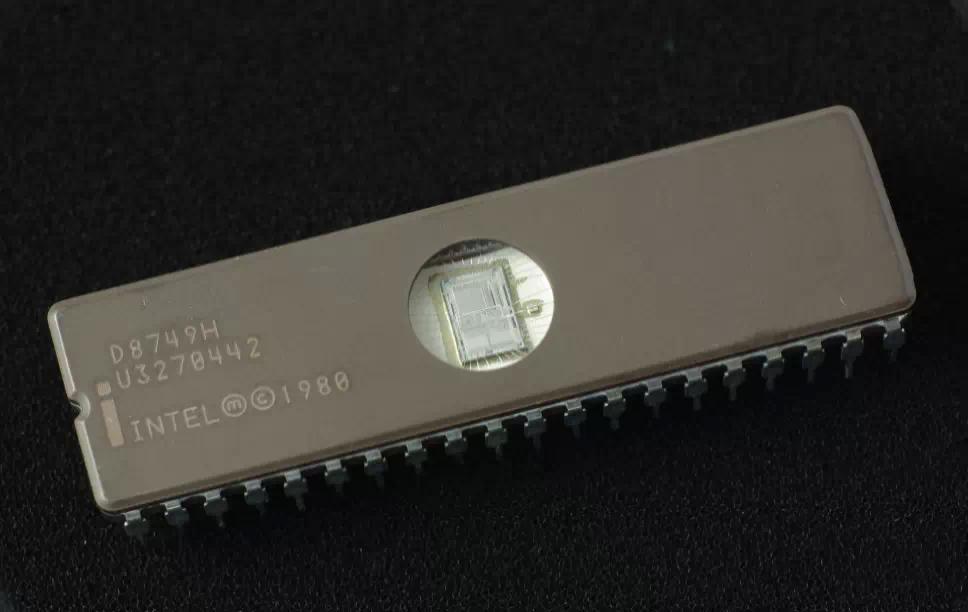
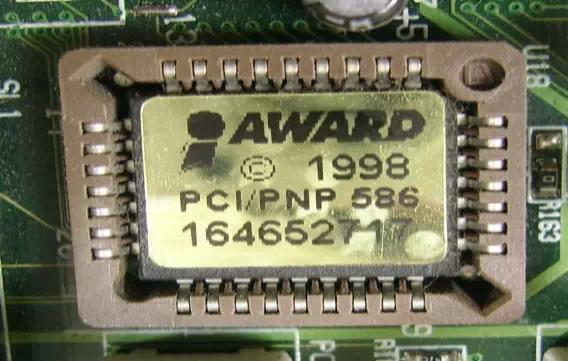
- You can identify your Packard Bell motherboard using the BIOS ID which is displayed on most computers at bootup. Per BIOS vendor (AMI, Award, Phoenix, ...) we have a seperate tab of motherboard BIOS Identifications.
- In the Website Links section we provide official and unofficial links to find free Packard Bell BIOS upgrades
Click on the  for more info about the Packard Bell bios update.
Packard Bell BIOS Updates
| Manufacturer - Model | Chipset | BIOS ID | Full BIOS ID | More info |
|---|---|---|---|---|
| Packard Bell (MCP73)(Diego S) | VIA 82C3044 rev 192 | 6A61NPB1 | 07/10/2008-MCP73-6A61NFK1C-00 |
|
| Packard Bell 8400 | AMD 1200 rev 0 | PBIM8600 | 64-0100-001131-00101111-050108-ATHLON64 |
|
| Packard Bell Bulldog2 | Intel 3405 rev 18 | PBIXTM5730 | P01-A1 |
|
| Packard Bell DOT SE2 | Intel A010 rev 0 | DOT SE2 | V3.13(DDR3) |
|
| Packard Bell DOTS2 | Intel A010 rev 0 | PackardBellDOTS2 | V1.21 |
|
| Packard Bell EasyNote LJ65 | Intel 2A40 rev 9 | PB_EasyNote_LJ65 | V1.01 |
|
| Packard Bell EasyNote LJ75 | Intel 044 rev 18 | PBEasyNoteLJ75 | V1.05 |
|
| Packard Bell EasyNote LM81 | AMD 9601 rev 0 | PBEASYNOTELM81 | V1.15 |
|
| Packard Bell EasyNote LM82 EN LM82 | AMD 9601 rev 0 | PB_EasyNote_LM82 | V1.19 |
|
| Packard Bell EasyNote LM85 EN LM85 | Intel 044 rev 24 | EasyNote_LM85 | V1.26 |
|
| Packard Bell EasyNote LM98 | Intel 044 rev 24 | Packard_Bell_EasyNote_LM98 | V1.18 |
|
| Packard Bell EasyNote MB65 | Intel 2A00 rev 3 | PBENMB65 | SROSA001.86C.0038.D.0804071904 |
|
| Packard Bell EasyNote MH35 series | SiS 671 rev 0 | PBENMH35 |
|
|
| Packard Bell Easynote MZ35 | RS200+SB450 | PH665NE1 |
|
|
| Packard Bell EasyNote SB85 | Intel 2A00 rev 3 | PBENSB85 | SROSA001.86C.0038.D.0710081401 |
|
| Packard Bell EasyNote TE11HC | Intel 154 rev 9 | EasyNoteTE11HC | V2.07 |
|
| Packard Bell EasyNote TE69KB EN TE69KB | AMD 1536 rev 0 | EasyNote_TE69KB | V2.05 |
|
| Packard Bell EasyNote TH36 | Intel 2A40 rev 9 | EasyNote_TH36 | V1.06 |
|
| Packard Bell EasyNote TJ65 | Intel 2A40 rev 7 | PBENTJ65 | V1.06 |
|
| Packard Bell EasyNote TJ75 EN TJ75 | Intel 044 rev 18 | PB_EasyNote_TJ75 | V1.26 |
|
| Packard Bell EasyNote TK81 EN TK81 | AMD 9601 rev 0 | PB_EasyNote_TK81 | V2.14 |
|
| Packard Bell EasyNote TK85 | Intel 044 rev 2 | EasyNoteTK85 | V1.30 |
|
| Packard Bell EasyNote TM86 | Intel 044 rev 2 | EasyNote_TM86 | V1.23 |
|
| Packard Bell EasyNote TS11HR | Intel 104 rev 9 | EasyNote_TS11HR | V1.10 |
|
| Packard Bell EasyNote TSX62HR EN TSX62HR | Intel 104 rev 9 | EasyNote_TSX62HR | V1.15 |
|
| Packard Bell EasyNote TV11HC | Intel 104 rev 9 | PB_EasyNote_TV11HC | V1.06 |
|
| Packard Bell EasyNote_ME35 | PBENME35 | Ver 1.00PARTTBL |
|
|
| Packard Bell EasyNote_MT85 series | Intel 2A40 rev 7 | PBENMT85 | 64-0100-000001-00101111-062008-Cantiga |
|
| Packard Bell IMAX X9802 AIO | PBSTINGRAY | 06/18/2008-MCP73-6A61NF09C-00 |
|
|
| Packard Bell iMedia (PT.U59-PV.U59) | Unknown | PackardBellimedia S1800 | P01-A4 |
|
| Packard Bell IMEDIA 6608 | AMD 1100 | 6A61KFK2 | 05/15/2007-NF-MCP61-6A61KFK9C-00 |
|
| Packard Bell IMEDIA 8600 | AMD 1200 rev 0 | PBIM8600 | 64-0100-001131-00101111-050108-ATHLON64 |
|
| Packard Bell IMEDIA 8638 | AMD 1100 | 6A61KFK2 | 05/15/2007-NF-MCP61-6A61KFK9C-00 |
|
| Packard Bell IMEDIA A3282 FR | AMD 1200 rev 0 | PBIM8600 | 64-0100-001131-00101111-050108-ATHLON64 |
|
| Packard Bell IMEDIA A5518 UK (PT.U09-PV.U09) | AMD 1200 rev 0 | PB_IMEDIA_A5518_UK | PBBGL00.P09 |
|
| Packard Bell IMEDIA B2316 AIO | PBIMX9678 | 64-0100-001131-00101111-040808-MCP73 |
|
|
| Packard Bell IMEDIA B2790 HG (for Vista +) | PBIMB2790HG | 63-0100-000001-00101111-121106-RS400 |
|
|
| Packard Bell IMEDIA D7091 | PBIMX9678 | 64-0100-001131-00101111-040808-MCP73 |
|
|
| Packard Bell IMEDIA J2411 (san Francisco) | VIA PT890 | 6A7L8FK6 |
|
|
| Packard Bell IMEDIA J2412 | VIA PT890 | 6A7L8FK3 | PBSANFMB.0900 |
|
| Packard Bell IMEDIA J9640 | VIA PT890 | 6A7L8FK3 | PBSANFMB.0900 |
|
| Packard Bell imedia S1710 PT.U22-PV.U22 | Unknown | imedia_S1710 | 64-0100-009999-00101111-042109-MCP73 |
|
| Packard Bell imedia S1800 | Unknown | PackardBellimedia S1800 | P01-A4 |
|
| Packard Bell imedia S2380 | AMD 1410 rev 0 | imedia-S2380 | P11-A2 |
|
| Packard Bell imedia S2870 UEFI for Windows 8 (Not for Upgrades) | Intel 100 rev 9 | imedia_S2870_UEFI | P11-A1 |
|
| Packard Bell imedia S3210 iMedia (PT.U25-PV.U25) | AMD 1200 rev 0 | imedia_S3210 | 11/06/2009-NF-MCP78-8A61O002C-00 |
|
| Packard Bell imedia S3220 PTU5AE20240171B2DB2700 iMedia (PT.U5A-PV.U5A) | AMD 1200 rev 0 | ImediaS3220 | P01-B1 |
|
| Packard Bell imedia S3270 iMedia xx.U6S iMedia PT.U6S | AMD 1705 rev 0 | imedia_S3270 | 63-0100-000001-00101111-041511-Chipset |
|
| Packard Bell imedia S3720 iMedia (PT.U33-PV.U33) | VIA 82C3403 rev 0 | PB_imedia_S3720 | 64-0100-009999-00101111-092409-MCP73 |
|
| Packard Bell imedia S3800 (PT.U46-PV.U46) | Intel 040 rev 18 | PB_Imedia_S3800 | P01-B1 |
|
| Packard Bell imedia S3840 PTU6L | Intel 100 rev 9 | imedia_S3840 | P01-B2 |
|
| Packard Bell imedia S3850 PT.U5Y-PV.U5Y | Intel 100 rev 9 | imedia_S3850 | P01-B0 |
|
| Packard Bell IMEDIA X2415 | PBIMX9678 | 64-0100-001131-00101111-040808-MCP73 |
|
|
| Packard Bell IMEDIA X2424 AIO | PBIMX9678 | 64-0100-001131-00101111-040808-MCP73 |
|
|
| Packard Bell IMEDIA X4535 GE (PT.U12-PV.U12) | Unknown | IMEDIA_X4535_GE | R01-A3 |
|
| Packard Bell IMEDIA X5705 GE PT.U12-PV.U12 | Unknown | IMEDIA_X5705_GE | R01-A3C0 |
|
| Packard Bell IMEDIA X6580 HU PT.U12-PV.U12 | Unknown | IMEDIA_X6580_HU | 64-0100-000001-00101111-121008-MCP7A |
|
| Packard Bell IMEDIA X7500 SP iMedia (PT.U12-PV.U12) | Unknown | IMEDIA_X7500_SP | R01-A0 |
|
| Packard Bell IMEDIA X9157 AIO | PBIMX9678 | 64-0100-001131-00101111-040808-MCP73 |
|
|
| Packard Bell IMEDIA X9639 | VIA PT890 | 6A7L8FK2 | 11/19/2007-PT890-8237A-6A7L8FKEC-00 |
|
| Packard Bell IMEDIA X9651 | VIA PT890 | 6A7L8FK2 | 11/19/2007-PT890-8237A-6A7L8FKEC-00 |
|
| Packard Bell IMEDIA X9678 AIO (Denver) | PBIMX9678 | 64-0100-001131-00101111-040808-MCP73 |
|
|
| Packard Bell iPower | Intel 2A40 rev 7 | iPower_IP_GX_M | PBG15.D10 |
|
| Packard Bell ipower G5800 iPower (PT.U5B-PV.U5B) | Intel D131 rev 17 | PB_ipower_G5800 | P01-A3 |
|
| Packard Bell ISTART 1379(IT) | PBIS1379 | 63-0100-000001-00101111-011207-RS400 |
|
|
| Packard Bell ISTART B2015 | PBISD9142 | 63-0100-000001-00101111-041807-RS400 |
|
|
| Packard Bell ISTART B2050 | PBISD9142 | 63-0100-000001-00101111-041807-RS400 |
|
|
| Packard Bell ISTART B2214 | PBIMX9678 | 64-0100-001131-00101111-040808-MCP73 |
|
|
| Packard Bell ISTART D9142 AIO | PBISD9142 | 63-0100-000001-00101111-041807-RS400 |
|
|
| Packard Bell ISTART J9200 | VIA | AM7L8NE1 | 63-0100-001131-00101111-032807-PT890 |
|
| Packard Bell ixtreme M3730 (iXtreme (PT.U57-PV.U57) | Intel 2E30 rev 3 | PB_ixtreme_M3730 | P01-B1 |
|
| Packard Bell ixtreme M5120 PT.U23-PV.U23 | AMD 1200 rev 0 | Ixtreme_M5120 | P01-A4 |
|
| Packard Bell ixtreme M5150 PT.U66-PV.U66 PTU66 PVU66 | AMD 9601 rev 0 | PB_ixtreme_M5150 | P01-B1 |
|
| Packard Bell ixtreme M5730 | Intel 3405 rev 18 | PBIXTM5730 | P01-A1 |
|
| Packard Bell ixtreme M5740 PT.U36-PV.U36 | Intel D131 rev 17 | Ixtreme_M5740 | P01-A4 |
|
| Packard Bell ixtreme M5741 PT.U52-PV.U52 | Intel D131 rev 17 | PB_ixtreme_M5741 | P01-B1 |
|
| Packard Bell iXtreme X1933 | VIA 82C3044 rev 192 | 6A61NPB1 | 07/10/2008-MCP73-6A61NFK1C-00 |
|
| Packard Bell iXtreme X2711 | VIA PT890 | 6A7L8FK2 | 11/19/2007-PT890-8237A-6A7L8FKEC-00 |
|
| Packard Bell iXtreme X2712 | VIA PT890 | 6A7L8FK2 | 11/19/2007-PT890-8237A-6A7L8FKEC-00 |
|
| Packard Bell iXtreme X9610 | VIA 82C3044 rev 192 | 6A61NPB1 | 07/10/2008-MCP73-6A61NFK1C-00 |
|
| Packard Bell ONETWO L5710 PW.U44 | Intel 2E20 rev 3 | ONETWO_L5710_PWU44 | P01-A4 |
|
| Packard Bell oneTwo L5870 oneTwo xx.U6N [U78] UEFI for Windows 8 (Not for Upgrades) | Intel 100 rev 9 | PB_oneTwo_L5870 | P11-B0 |
|
| Packard Bell oneTwo M3700 (PW.U35) | Intel 2A40 rev 9 | PB_oneTwo_M3700 | P01-B1 |
|
| Packard Bell PACKARD BELL IMAX X8020 | PBIMX8020 | 09/17/2008-MCP73-6A61NF09C-00 |
|
|
| Packard Bell PACKARD BELL Stingray | PBSTINGRAY | 06/18/2008-MCP73-6A61NF09C-00 |
|
|
| Packard Bell SJE02_PT | Intel A010 rev 0 | DOT SE2 | V3.13(DDR3) |
|
| Packard Bell / Nec BALI | VIA 82C204 | 6A7L1NE1 | 01/04/2006-K8M800-8237-6A7L1G03C-00 |
|
| Packard Bell / Nec EasyNote GN45 Series | Intel 945 | PH79HNE1 | 6A02 |
|
| Packard Bell / Nec EasyNote MX36 Series | ATI Radeon Xpress 200M | PH7L1NE2 | 63-0100-000001-00101111-032307-RS400 |
|
| Packard Bell / Nec EasyNote MX45 Series | Intel 945PM | AM79HNE2 | 63-0100-009999-00101111-010407-CALISTOGA-T1200005 |
|
| Packard Bell / Nec EasyNote MX65 | Intel 945GM | AM79HNE1 | 63-0100-009999-00101111-092806-CALISTOGA-T1200205 |
|
| Packard Bell / Nec EasyNote SJ51 | AMD 1100 | PH7L1NE1 | VERSION 1.0 |
|
| Packard Bell / Nec IMEDIA 1409 | ITE 8712 | AM6LVNE1 | 63-0201-009999-00101111-011306-P4M800 PRO |
|
| Packard Bell / Nec IMEDIA 2215 | AM7L1NE4 | 64-0100-001131-00101111-091008-MCP73 |
|
|
| Packard Bell / Nec IMEDIA 2222 | AMD 1100 | AM7L1NE1 | 63-0100-000001-00101111-012306-ATHLON64 |
|
| Packard Bell / Nec IMEDIA 2341A | VIA 82C204 | 6A7L1NE1 | 01/04/2006-K8M800-8237-6A7L1G03C-00 |
|
| Packard Bell / Nec IMEDIA 2359 | VIA 82C204 | 6A7L1NE1 | 01/04/2006-K8M800-8237-6A7L1G03C-00 |
|
| Packard Bell / Nec IMEDIA 3593 | ITE 8712 | AM6LVNE1 | 63-0201-009999-00101111-011306-P4M800 PRO |
|
| Packard Bell / Nec IMEDIA 6478 | ATHLON 1100 | AM7L1NE2 | 63-0100-000001-00101111-012306-ATHLON64 |
|
| Packard Bell / Nec IMEDIA 6478 | ATHLON 1100 | AM7L1NE2 | 63-0100-000001-00101111-072005-ATHLON64 |
|
| Packard Bell / Nec IMEDIA D9150 | AM7L1NE4 | 64-0100-001131-00101111-091008-MCP73 |
|
|
| Packard Bell / Nec IMEDIA J2422 | SIS 671 | AM7I0NE1 | 12/07/2007-SIS-671-2A7IGG01C-00 |
|
| Packard Bell / Nec IMEDIA X1634 | AMD | AM7L1NE3 | 64-0100-001131-00101111-121807-MCP73 |
|
| Packard Bell / Nec iMEDIA X2415 | AM7L1NE4 | 64-0100-001131-00101111-091008-MCP73 |
|
|
| Packard Bell / Nec ISTART D2150 | SIS 671 | AM7I0NE1 | 12/07/2007-SIS-671-2A7IGG01C-00 |
|
| Packard Bell / Nec iStart D9008 | SIS 671 | 2A7IGNE1 | 07/17/2007-SIS-671-2A7IGG01C-00 |
|
| Packard Bell / Nec ISTART MC5702 | RC410 | AM665NE2 | 63-0100-000001-00101111-101606-RC410 |
|
| Packard Bell / Nec IXTREME 6280 MCE | ATHLON 1100 | AM7L1NE2 | 63-0100-000001-00101111-012306-ATHLON64 |
|
| Packard Bell / Nec IXTREME 6280 MCE | ATHLON 1100 | AM7L1NE2 | 63-0100-000001-00101111-072005-ATHLON64 |
|
| Packard Bell / Nec MX66 Series | Intel 945GM | AM79HNE1 | 63-0100-009999-00101111-092806-CALISTOGA-T1200205 |
|
| Packard Bell / Nec RC410-M | RC410 | AM665NE2 | 63-0100-000001-00101111-101606-RC410 |
|
Intel AMI BIOS IDs are used to identify motherboards with an Intel AMI BIOS. For more information visit our Intel AMI BIOS ID information page.
At this moment we have 1 Intel AMI BIOS IDs listed for Packard Bell. Contact us if you have new IDs missing from the list :-)
Packard Bell Intel AMI BIOS Identification
| Intel AMI BIOS ID | Motherboard manufacturer, model, PCB revision |
|---|---|
| 1.00.xx.AU0R | Packard Bell OEM version of Intel Premiere/PCI Low Profile (PB520) |
| 1.00.xx.BB0R | Packard Bell OEM version of Intel Robin LX/Socrates (PB540/550/560) in LG 401 CD among others |
| 1.00.xx.BC0R | Packard Bell OEM version of Intel Robin LC (PB520r) PB 527R w/ Cirrus Video Card on board |
| 1.00.xx.BY0R | Packard Bell OEM version of Intel Hillary (PB570/580/590/620/630/650) in LG 74CDT SUP among others |
| 1.00.xx.CP0R | Packard Bell OEM version of Intel Thousand Oaks (PB640) |
| 1.00.xx.CP1R | Packard Bell OEM version of Intel Fair Oaks (PB660) |
| 1.00.xx.DI0R | Packard Bell OEM version of Intel Providence |
| 1.00.xx.DN0R | Packard Bell OEM version of Intel Orlando (PB68x) NEC Ready 9722 9725 9732 9734A 9735 9736 9820 |
| 1.00.xx.DT0R | Packard Bell OEM version of Intel Portland (PB760) NEC Ready 9761 9763 9765 9769 9770 9775 |
Here is a list of official and unofficial sites where you can find and download Packard Bell BIOS updates for free.
Need help? Ask your question here!
(Examples: how to update your BIOS, how to identify your motherboard)
About
My name is Wim Bervoets and I'm the founder of Wim's BIOS Page. The history of this site goes back to 1996 when I was taking my first steps on the internet. Gradually the site grew to what it is now - an authority site about BIOS update information - with an active forum.
Free instant access to BIOS tips!
Fill in your name and email and receive our ebook 'How to update your PC BIOS in 3 easy steps' (15$ value), free BIOS tips and updates about Wim's BIOS!
Recent updates



-
Added Medion BIOS Updates

1996 - 2019 © Wim Bervoets. Privacy Policy | Terms of Service | Disclaimer | Disclosure
