
Free instant access to BIOS tips!
Fill in your name and email and receive our ebook 'How to update your PC BIOS in 3 easy steps' (15$ value), free BIOS tips and updates about Wim's BIOS!
Fast, Scalable and Secure Webhosting
Are you currently having hosting problems? Do you feel that your site slowlyness is killing sales or traffic?
Our book Fast, Scalable and Secure Webhosting for Web Developers will give you the knowledge to run your site on a speedy, scalable and secure server!
Start learning about Linux, Nginx, MariaDB, PHP-FPM, Java, IPv6, HTTPS, WordPress and much more!
Tip: Receive your free Chapter Secure your site with HTTPS by joining our mailing list!

For 1 beep, 2 beeps, or 3 beeps try reseating the memory first. If the error still occurs, replace the memory with known good chips.
For 4 beeps, 5 beeps, 7 beeps, or 10 beeps the system board must be sent in for repair.
For 6 beeps try reseating the keyboard controller chip. If the error still occurs, replace the keyboard chip. If the error persists, check parts of the system relating to the keyboard, e.g. try another keyboard, check to see if the system has a keyboard fuse.
8 beeps indicates a memory error on the video adapter. Replace the video card or the memory on the video card.
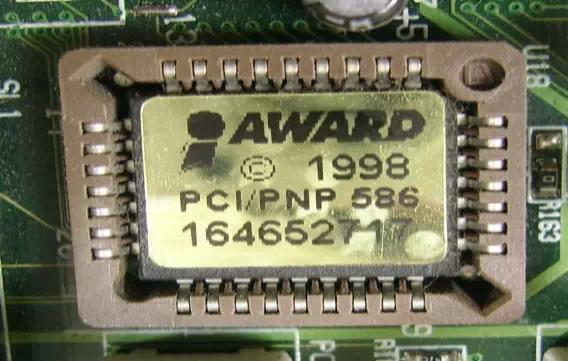
9 beeps indicates faulty BIOS chip(s). It is not likely that this error can be corrected by reseating the chips. Consult the motherboard supplier or an AMI product distributor for replacement part(s).
If no beeps are heard and no display is on the screen, The first thing to check is the power supply. Connect a LED to the POWER LED connection on the motherboard. If this LED lights and the drive(s) spin up then the power supply will usually be good.
Next, inspect the motherboard for loose components. A loose or missing CPU, BIOS chip, Crystal Oscillator, or Chipset chip will cause the motherboard not to function. Next, eliminate the possibility of interference by a bad or improperly set up I/O card by removing all card except the video adapter. The system should at least power up and wait for a drive time-out. Insert the cards back into the system one at a time until the problem happens again. When the system does nothing, the problem will be with the last expansion card that was put in.
If the above suggestions fail to cause any change in the dysfunction of the system, the motherboard must be returned for repair.
Go back to our BIOS FAQ.
Need help? Ask your question here!
(Examples: how to update your BIOS, how to identify your motherboard)
About
My name is Wim Bervoets and I'm the founder of Wim's BIOS Page. The history of this site goes back to 1996 when I was taking my first steps on the internet. Gradually the site grew to what it is now - an authority site about BIOS update information - with an active forum.
Free instant access to BIOS tips!
Fill in your name and email and receive our ebook 'How to update your PC BIOS in 3 easy steps' (15$ value), free BIOS tips and updates about Wim's BIOS!
Recent updates



-
Added Medion BIOS Updates

1996 - 2019 © Wim Bervoets. Privacy Policy | Terms of Service | Disclaimer | Disclosure
